TechIDManager’s tree-based structure gives managers full control over how managed accounts and passwords are organized—while ensuring every technician sees credentials in a consistent, logical format for faster access.
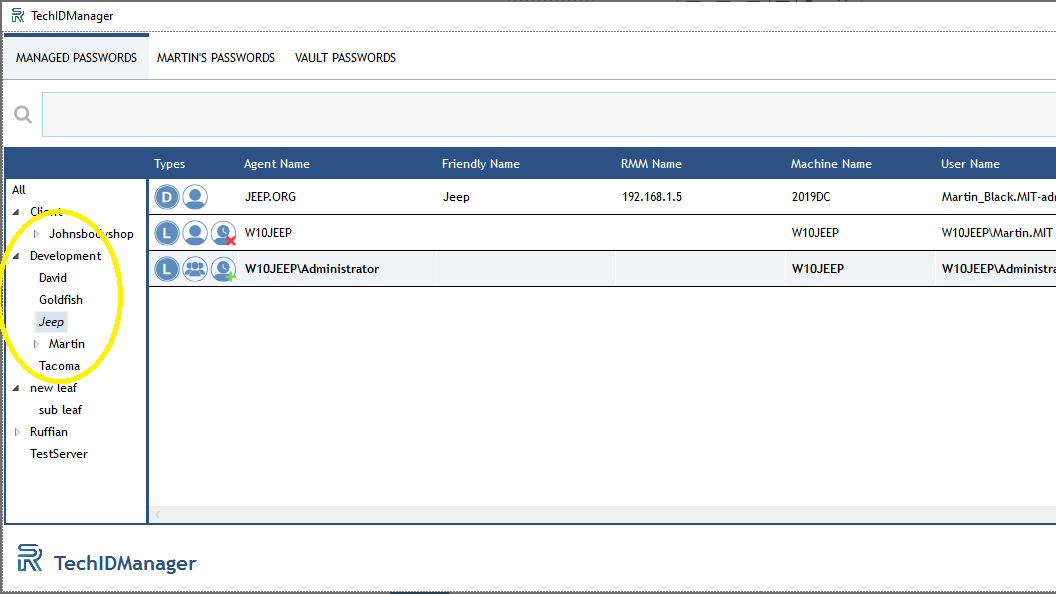
Within the TechIDPortal, credentials are organized hierarchically using a dot (.)-delimited path system called leaves. For example, defining two leaves as A.1.a and A.1.b creates a top-level node “A,” containing a sub-leaf “1,” which then contains two leaves: “a” and “b.” Adding A.2.a creates a separate branch under “A” called “2,” with its own distinct “a.” This flexible structure allows you to build trees that are as broad or as detailed as needed, with naming conventions that match your operational standards. The same structure is also available for organizing Vault Passwords.
Technicians are restricted to viewing only the leaves that contain items they have permission to access, keeping data segmented and secure.
Managing Leaves
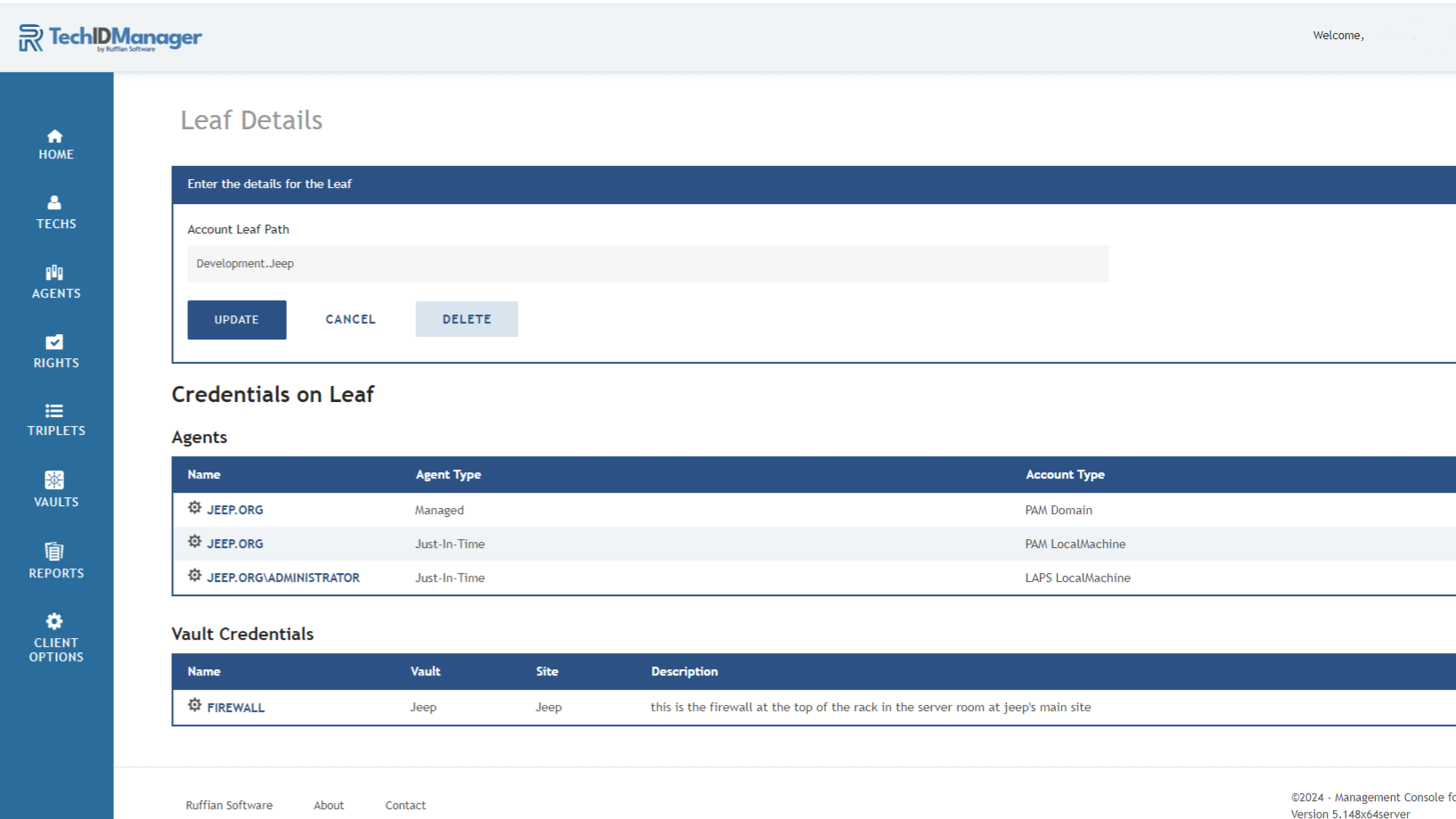
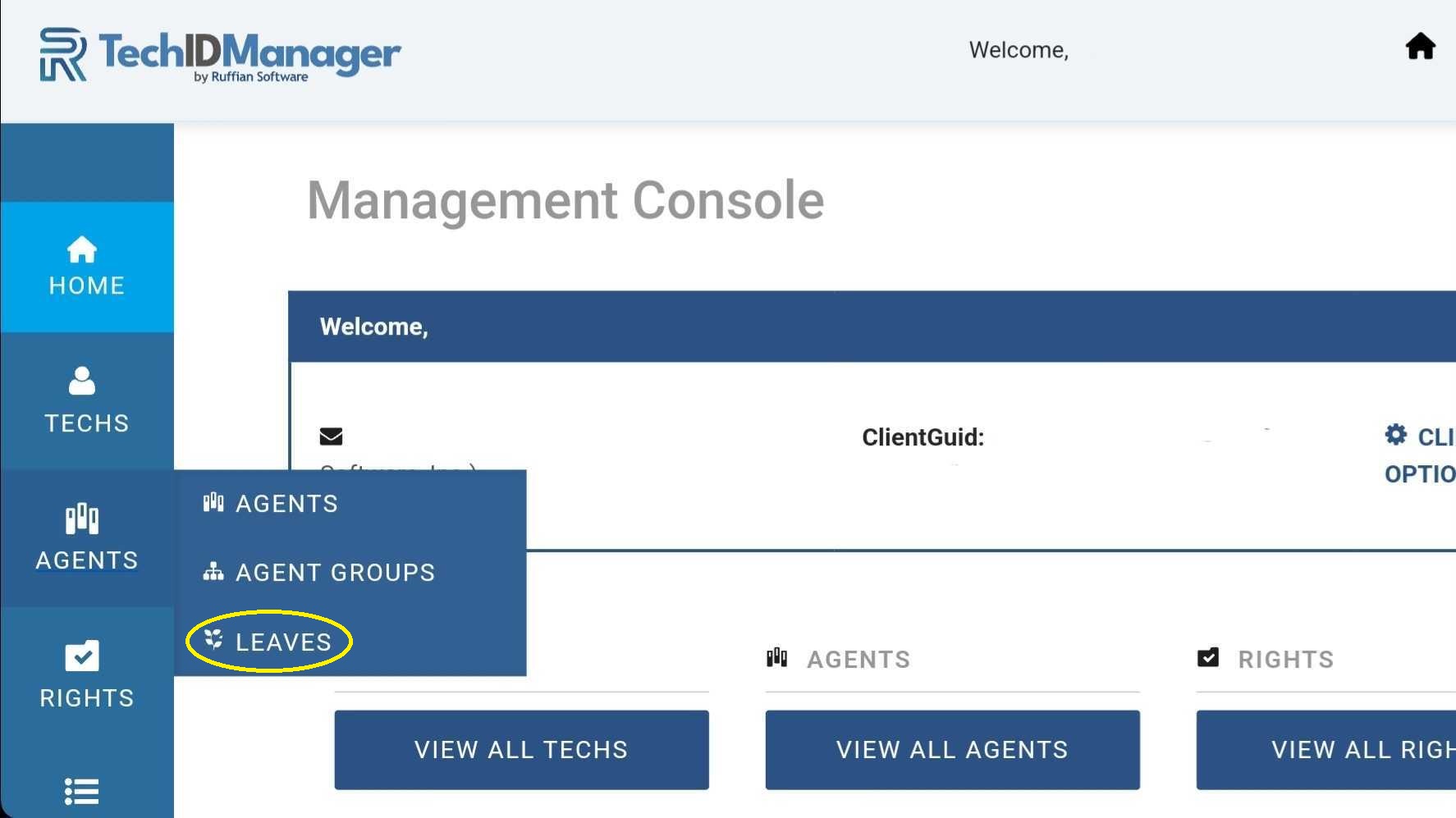
Managers can add, modify, or remove leaves at any time by navigating to Agents → Leaves in the TechIDPortal or by clicking the gear icon next to a specific agent. From there, you can edit the leaf path and view all associated agents and vault credentials tied to that location in the tree.
During TechIDAgent setup (version 5.0 and newer), you can specify the leaf where the agent will be installed using the leaf value setting. The leaf must already exist in the TechIDPortal, and the name must match exactly—otherwise the installation request will be ignored. Using quotes (“…”) is recommended to ensure accuracy. (See more here )
Using Dots in Leaf Names
Because dots (.) define hierarchy levels in the tree, they must be escaped when intended to be part of the actual leaf name.
This is especially important for client names that include legal suffixes such as:
- Inc.
- LLC.
- Ltd.
- Corp.
If a client name ends with a period, that dot must be escaped so the system treats it as part of the name rather than as a structural separator.
How to Escape a Dot
To include a literal dot in a leaf name, use:
\.
When the system encounters a backslash followed by a dot (\.), it interprets the dot as part of the name.
Example
Instead of:
Ruffian Software Inc.
Use:
Ruffian Software Inc\.
The platform will display the full name correctly while preserving the integrity of the hierarchical structure.
Why This Matters
- Preserves accurate legal client naming
- Prevents hierarchy parsing conflicts
- Maintains clean tree and lease structures
- Supports consistent MSP naming standards
This tree-based approach balances structure, flexibility, and precision—giving your team better organization and efficiency without sacrificing real-world naming accuracy.
Leaves in the TechIDPortal
Leaves in the TechIDClient
Leaf detail screen in the TechIDPortal