
We would like to invite you to join us in attending our monthly PAM CAST!
Your monthly shot in the arm for privileged account management best practices, industry highlights, and updates related to the best automated privileged account management platform for IT Providers: TechIDManager!
New features, benefits, live support, and anything else we feel like talking about.
Come hang out with us!
Next PAMCast is October 20th
We will be live talking about:
- TechIDAgent.macOS – SecureToken?
- YubiKey as MFA for TechIDClient
- Microsoft SSO for TechIDClient
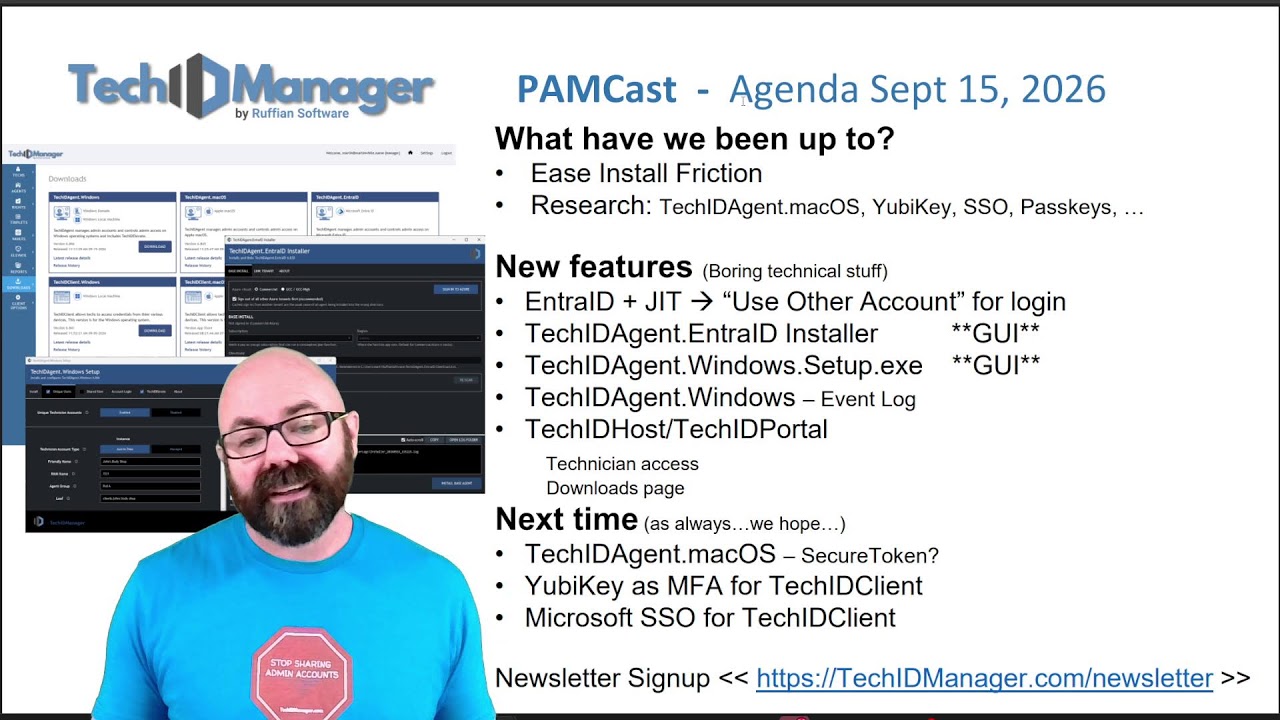
September 15th PAMCast
We discussed:
- Ease Install Friction continues
We continued simplifying TechIDManager deployment with graphical installers, script tools, improved downloads, and easier access to deployment information. - Research into macOS, YubiKey, SSO and passkeys
Research and development continued around macOS SecureToken support, YubiKey, Microsoft SSO, and passkeys. - Entra ID + JIT: use “Another account” when logging in
When using JIT accounts, select “Use another account” to force fresh authentication and avoid issues with cached credentials. - TechIDAgent.EntraID Installer GUI
TechIDAgent.EntraID now has a graphical installer that simplifies installation and customer tenant linking. - TechIDAgent.Windows.Setup.exe GUI
The new Windows setup tool lets administrators configure deployment options visually and automatically generate the PowerShell script. - TechIDAgent.Windows now writes to the Windows Event Log
JIT and TechIDElevate activity can now be recorded in the Windows Event Log for additional auditing and monitoring. - Technician access to TechIDPortal
Technicians can now access TechIDPortal with read-only visibility into the agents they are authorized to use. - Downloads are now available in TechIDPortal
TechIDAgent and TechIDClient downloads, along with release histories, are now available directly in TechIDPortal. - TechIDAgent.macOS SecureToken management coming
SecureToken management for TechIDAgent.macOS is currently in testing and is planned for an upcoming release. - YubiKey support for TechIDClient
YubiKey support is in development as an additional way to protect the private encryption key used by TechIDClient. - Microsoft SSO for TechIDClient
We are researching Microsoft SSO while preserving TechIDManager’s existing end-to-end encryption protections.
August 18th PAMCast
We discussed:
- TechIDElevate rollout is underway
TechIDElevate is rolling out to initial users, giving MSP technicians the ability to approve or deny UAC elevation requests and create rules for applications that can be automatically elevated. Early feedback is helping us refine the experience and expand support for applications that require elevation within the end user’s context. - Project Ease Install Friction
We are reviewing the entire TechIDManager and TechIDElevate deployment experience with a focus on fewer steps, smarter defaults, and easier configuration. Many of these improvements will begin appearing as we move toward version 7.0 while maintaining backward compatibility for existing configurations. - TechIDLogin now supports Entra ID accounts
TechIDLogin can now use Entra ID accounts on Entra ID-joined or registered Windows machines. Technicians can select their identity from the Windows login screen, approve the request through TechIDClient, and have TechIDManager automatically complete the login using the appropriate account. - TechIDAgent and TechIDClient updates
New Windows agent and Android and iOS TechIDClient releases include improvements supporting TechIDElevate and TechIDLogin. Mobile technicians can respond to login and elevation requests while away from their computers, and Windows agent releases continue to roll out gradually through TechIDManager’s staged automatic update process. - Simpler agent installation and deployment tools are coming
Project Ease Install Friction includes a new MSI-based TechIDAgent.Windows installer with graphical and silent installation options, along with a simplified graphical installer for TechIDAgent.EntraID. A new Script Builder will also allow administrators to select deployment options in TechIDPortal and automatically generate the appropriate PowerShell deployment script. - Downloads and technician onboarding are moving into TechIDPortal
A new Downloads section will provide access to TechIDAgent and TechIDClient installers, release information, and tenant-specific configuration where appropriate. Technician onboarding is also being simplified so new technicians receive the information they need to install TechIDClient and access only the portal resources and agents they have permission to use.

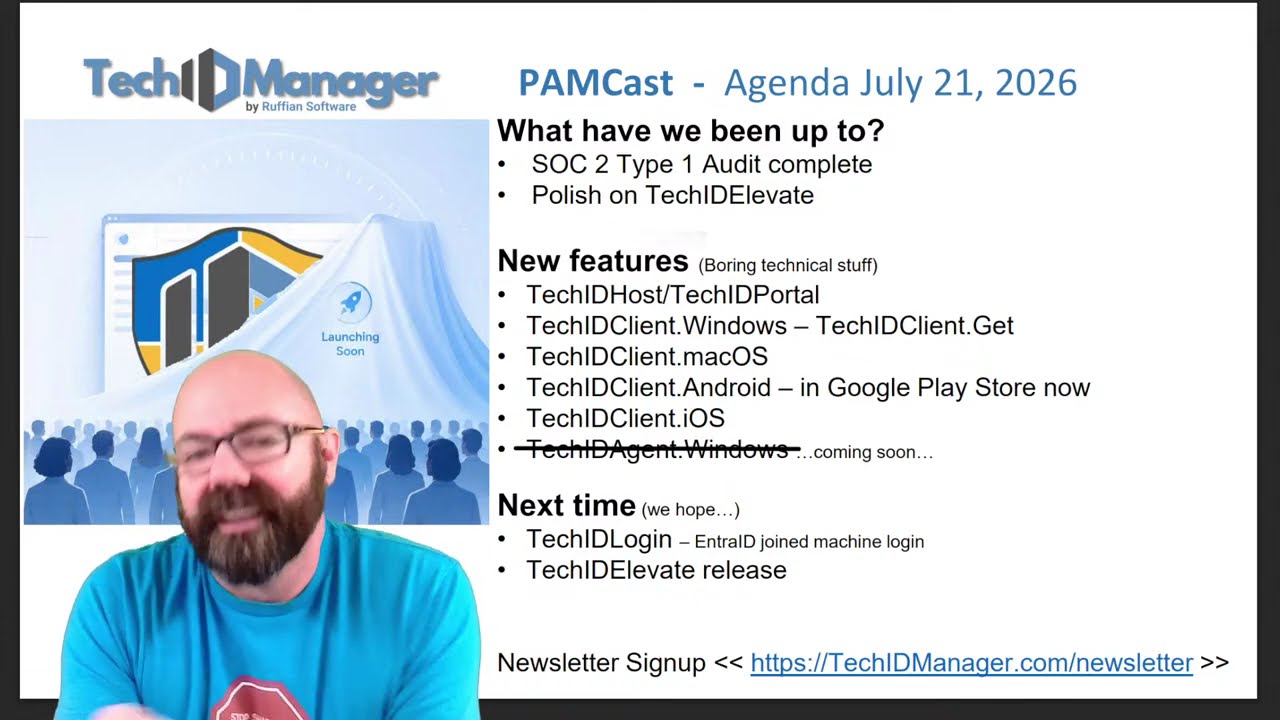
July 21st PAMCast
We discussed:
- SOC 2 Type 1 Audit complete
We have officially completed our SOC 2 Type 1 audit. The report is now available to TechIDManager partners who would like to review it. To request a copy, email support@techidmanager.com. Once the appropriate NDA has been signed, our team will provide access to the report. We expect to begin the evidence collection period for our SOC 2 Type 2 audit in approximately six months. We are also exploring a SOC 2 Type 3 report that could eventually be made publicly available on our website. - Continued polish on TechIDElevate
TechIDElevate remained one of our primary areas of focus this month. The product will help MSPs remove local administrator rights from end users while giving technicians a controlled way to approve or deny elevation requests when administrative access is needed. The core applications now include support for TechIDElevate, including the portal and the Windows, macOS, Android, and iOS TechIDClient applications. The Windows agent responsible for managing UAC prompts on end-user computers is still undergoing final testing and polish. Each round of testing has helped us identify and correct additional edge cases before the initial release. You can see a sneak peek of TechIDElevate here.
- TechIDHost and TechIDPortal updates
New versions of TechIDHost and TechIDPortal were released with updated images, interface improvements, new reports, and additional functionality supporting TechIDElevate. Most of the new TechIDElevate-related menu items and workflows will become visible after the feature has been enabled for your tenant.
- TechIDClient.Windows and TechIDClient.Get
TechIDClient.Windows 6.728 introduces expanded command-line functionality through TechIDClient.Get. Technicians can now use the command line to unlock the Windows client, retrieve supported credentials, view TechIDElevate requests, and approve or deny elevation requests. Security controls limit this functionality to the authorized user on the same computer. It can also support approved automation, build processes, and AI-assisted workflows that require credentials stored securely within TechIDManager.
- TechIDClient.macOS updates
A new version of TechIDClient for macOS corrects an uncommon issue involving the decryption of extremely long passwords. The same issue could occasionally prevent a TOTP secret from working on macOS even though it worked correctly on Windows. That behavior has also been corrected. The macOS client now includes TechIDElevate functionality and WebSocket support for faster just-in-time account updates and elevation request notifications.
- TechIDClient.Android is now in the Google Play Store
TechIDClient for Android is now available through the Google Play Store. This provides automatic updates and removes the need to sideload future versions of the application. Anyone currently using the sideloaded Android application will need to uninstall it before installing the Google Play Store version because of the Play Store’s application distribution requirements.
- TechIDClient.iOS updates
A new version of TechIDClient for iOS was also released with an updated navigation experience. Instead of relying on tabs at the bottom of the application, users can access managed passwords, users, vaults, login requests, and elevation requests directly from the main screen. Technicians can now respond to both TechIDLogin and TechIDElevate requests from the iOS and Android applications.
- TechIDAgent.Windows with TechIDElevate for End Users coming soon
The Windows agent that manages TechIDElevate requests on end-user computers is currently in testing. The release has passed automated testing, but we are continuing to make final improvements as additional edge cases are identified. Our goal is to provide initial users with the most reliable version possible rather than rushing the agent into production.
- Early access to TechIDElevate
Existing partners interested in participating in the initial TechIDElevate release can email support@techidmanager.com. Early participants will receive access to the full TechIDElevate feature set as part of their existing TechIDManager subscription during the initial testing period. Our team will schedule a meeting to help enable the product and demonstrate how it works.
June 16th PAMCast
We discussed:
- Major new feature → TechIDElevate TechIDElevate is continuing through internal testing and polish. The team has been refining branding, documentation, command line arguments, and the portal experience before making it available more broadly. TechIDElevate will bring simple UAC elevation management into TechIDManager, helping MSPs remove local admin rights from end users while giving technicians a fast, controlled way to approve elevation requests when needed.
- SOC 2 Audit progress We are getting very close to completing our first SOC 2 Type 1 report. The draft report has been reviewed, comments have been sent back, and we expect the final report soon. Partners interested in receiving the report can email support@techidmanager.com. Once the report is finalized and the proper NDA is in place, we will be able to share it.
- We hired a new developer We also brought on a new developer this month. The hiring process was… interesting. Between AI-generated applications, digital twins, and a wide range of candidates, the job market continues to be a mess. The good news is that we found someone who is already contributing and helping with polish work on TechIDElevate. We expect this to help us move faster on upcoming features.
- Polish on TechIDElevate A large part of this month was spent polishing TechIDElevate. It has gone through several rounds of internal testing, and we’ve made improvements based on what we found. This work includes the portal interface, branding, documentation, command line arguments, and the overall approval workflow.
- TechIDAgent.EntraID Base/Link 6.614 & 6.626 TechIDAgent.EntraID Base/Link 6.614 addressed issues related to delayed account enabling and occasional incorrect passwords on Entra ID accounts. This came down to timing and concurrency issues with Entra ID, where Microsoft Graph could report that an update had completed before the account was truly ready. We added mitigations to make JIT account enabling and credential setting more reliable. TechIDAgent.EntraID Base/Link 6.626 addressed an issue caused by Azure CLI 2.87.0 breaking several Azure functions used during base installation and updates. Some of those Azure CLI calls have been changed to Graph REST calls to work around the issue. If you are using Entra ID with TechIDManager, we recommend updating to the latest version.
- TechIDClient.Windows 6.582 TechIDClient.Windows received an update related to larger environments and the Managed tab. This release addresses a possible race condition that could happen when working with a large number of entries, especially if an entry updated during a refresh.
- TechIDHost/TechIDPortal 6.568 TechIDHost and TechIDPortal received a small update for an edge case where some co-managed or limited-access technicians could see more leaves in the left-side tree than they should. No credentials were exposed incorrectly, but the tree view could show leaves that should no longer appear. That has been corrected.

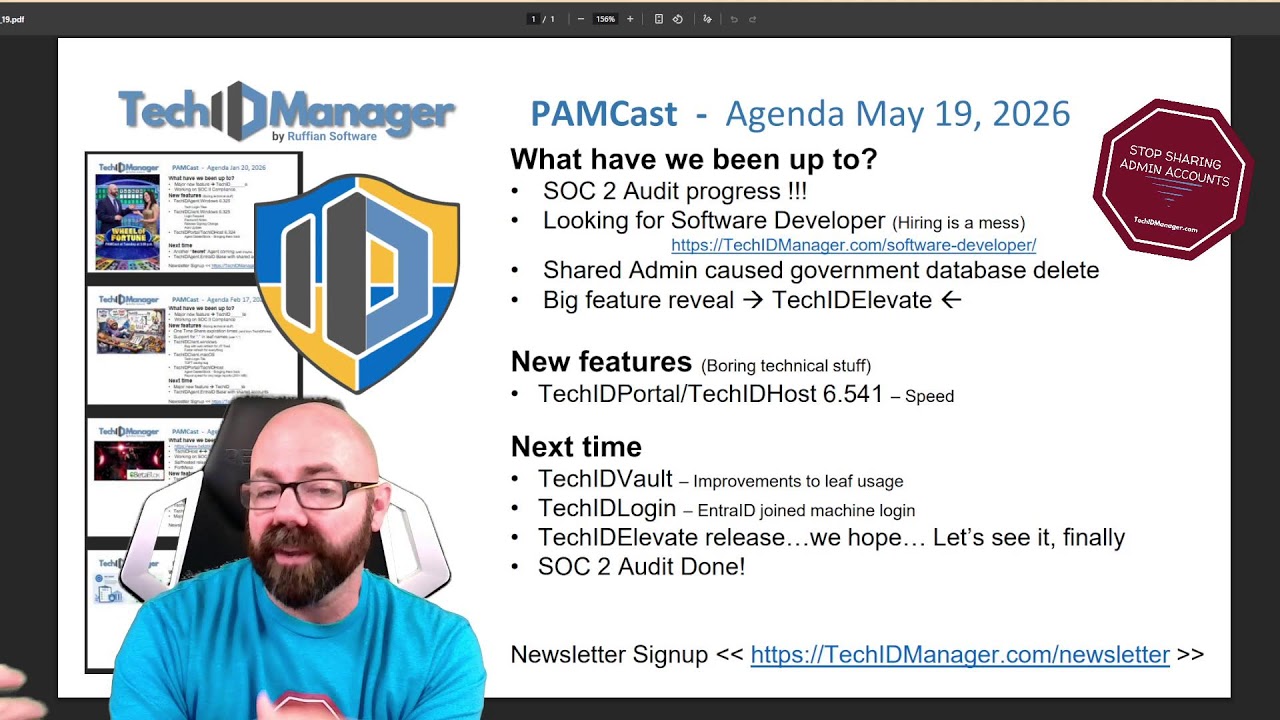
May 19th PAMCast
We discussed:
- SOC 2 Audit Progress SOC 2 has continued to be a major focus across Ruffian Software this month. The audit process is moving forward, and we expect the SOC 2 Type I report to be completed before the next PAMCast. Once the report is available, existing partners who need a copy will be able to request it, sign an NDA, and receive the report for their internal compliance, vendor review, or customer requirements.
- We’re Hiring a Software Developer Ruffian Software is growing, and we are currently looking to hire a software developer. If you know a software developer who may be a good fit, please send them to the careers section of our website or connect them with us directly.
- Shared Admin Accounts in the News This month, we also covered a recent story involving a fired contractor who deleted 96 federal databases after access was not removed quickly enough. At its core, this is another example of why shared admin accounts and manual access management create unnecessary risk. When access is not tied to unique users, and when offboarding depends on manual cleanup, organizations can be left exposed at exactly the wrong time. We published a blog post about this incident and how it connects to privileged access management, technician accountability, and the dangers of shared administrative access.
- Introducing TechIDElevate The biggest announcement from this month’s PAMCast was the reveal of TechIDElevate TechIDElevate is a new product from TechIDManager focused on UAC prompt control and elevation management for end users. When an end user attempts to run something that requires administrator rights, TechIDElevate can present a branded approval prompt, notify the appropriate technician, and allow that technician to approve or deny the request. This gives MSPs a way to manage elevation requests without handing out standing admin rights.
- Recent Release of TechIDPortal / TechIDHost 6.541
This release focused mainly on behind-the-scenes performance improvements.
The updates included speed improvements for portal and host interactions, CPU processing improvements, rate limiting, and other performance-focused changes. These updates are especially important for larger-scale partners, even though many users may not notice the changes directly in day-to-day use.
April 21st PAMCast
We discussed:
- SOC 2 Audit Started The SOC 2 audit has officially started. This has been a major milestone for TechIDManager and a major focus across the company. After a long stretch of preparation, the audit is now underway, and we expect to receive the SOC 2 Type I report in roughly 60 days.
- Scale and Speed If there was one theme for this month, it was scale and speed. Several partners have now deployed TechIDManager at a larger scale than ever before. That growth has pushed us to optimize internal systems, improve performance, and reduce unnecessary network traffic across the platform. A large portion of development this month went into making TechIDManager faster, more efficient, and better equipped to handle larger environments
- TechIDClient.Windows 6.487 This release includes significant speed improvements for larger environments. Technicians with access to more than 5,000 agents should notice faster loading, refreshing, and updating in the client. In smaller environments, the difference may be less noticeable, but these improvements are important for supporting TechIDManager at scale.
- TechIDAgent.Windows 6.460 This was a quick follow-up release after 6.450. It fixed a bug that caused shared accounts to rotate too often, included additional cleanup, and reduced extra network chatter between the agent and TechIDHost. More improvements in this area are already in progress.
- TechIDAgent.EntraID 6.475 This release added dynamic group ignoring and static group membership management, along with optional control over whether static group membership is managed by the agent. This gives partners more flexibility in how technician accounts are built in Entra ID and makes it easier to assign access through shared group structures across tenants.
- TechIDPortal / TechIDHost 6.510 A large part of this release focused on speed improvements and page consistency. We made optimizations around triplets, access reporting, and agent-to-host interactions to improve performance in larger deployments. We also continued standardizing paging and filtering across the portal and host so the experience is more consistent across reports, lists, and management pages.
- Self-hosted releases We also continued working on making TechIDHost and TechIDPortal releases more portable and easier to deliver for self-hosted partners. The technical groundwork is largely in place. The next step is finalizing the process around it so self-hosted partners can stay more closely aligned with production releases moving forward.

March 17th PAMCast
We discussed:
- The Blox Season 21
- TechIDHost ↔ TechIDAgent
- Continued work on host and agent network interactions
- Focused on improving scalability, performance, and reducing unnecessary network traffic
- SOC 2 Compliance
- Progress continues toward SOC 2 compliance
- Audit paperwork is getting closer as the compliance effort moves forward
- Self-hosted releases
- Improvements were made to the self-hosted release process
- These changes help make releases faster and more efficient for self-hosted partners
- FortMesa (Better Together)
- TechIDManager is now working alongside FortMesa to bridge a critical gap between cybersecurity planning and real-world enforcement.
- FortMesa helps MSPs define and manage their security roadmap across frameworks like CIS, NIST, ISO 27001, and CMMC. TechIDManager ensures those controls are actually enforced—by eliminating shared admin accounts, automating least-privilege access, and producing verifiable audit logs.
- Together, this allows you to:
- 🔐 Eliminate shared admin accounts and reduce risk across all clients
- ⚙️ Enforce individualized, just-in-time privileged access
- 📊 Prove compliance with real audit data—not assumptions
- 📈 Align your access controls with your broader security and compliance roadmap
- This is the difference between planning for compliance and actually proving it.
- TechIDClient.windows 6.417
- Internal cleanup and minor bug fixes
- Added logging improvements and a live log viewer in the About tab
- Fixed a rare startup crash
- TechIDAgent.windows 6.450
- Major internal updates
- Reduced network traffic for shared just-in-time accounts
- Streamlined account request handling
- Added new show option command-line functionality
- Fixed several edge-case issues, including Server 2022 unlock behavior
- TechIDPortal / TechIDHost 6.448
- Agent interaction updates to lower network traffic
- Better just-in-time account management
- Internal cleanup
- Included in the updated self-hosted release process
- Performance improvements
- Just-in-time enablement times improved this month
- Additional speed improvements are still in progress
- Entra ID Agent 6.147
- Added technician group membership support for unique technician accounts
- More improvements for dynamic groups and shared accounts are on the way
- Portal and REST API improvements

February 17th PAMCast
We discussed:
- Major new feature → TechID_____te
- Working on SOC II Compliance
- One Time Share expiration times (and from TechIDPortal)
- Support for “.” in leaf names (use “\.”)
- TechIDClient.windows
-Bug with auto refresh for JIT fixed
-Faster refresh for everything - TechIDClient.macOS
-Tech Login Tile
-TOPT saving bug - TechIDPortal/TechIDHost
-Agent Delete/Block – Bringing them back
-Report speed for very large reports (200+ MB)

January 20th PAMCast
We discussed:
- Working on SOC II Compliance (Addressing GAP report items)
- Major new feature in the works → TechID______e.
- TechIDAgent.Windows 6.325
- Tech Login Tiles
- User Password Tile
- TechIDClient.Windows 6.325
- Login Request
- Password Notes
- Release Signing Change
- Auto Update
- TechIDPortal/TechIDHost 6.324
- Agent Delete/Block – Bringing them back

December 16th PAMCast
We discussed:
- Working on SOC II Compliance (Addressing GAP report items)
- TechIDHost & TechIDPortal speed change
- Paging for TechIDPortal
- New TechIDAgent.Windows
- Website moved (RuffianSoftware.com -> TechIDManager.com)
- AutoUpdate for TechIDClient.Windows
- Updated our Customer Support page

November 18th PAMCast
We discussed:
- Working on SOC II Compliance (Addressing GAP report items)
- Scaling work on TechIDHost
- Major new feature in the works (We are really excited about this)
- AutoUpdate for TechIDAgent.Windows (long time coming…)
- Single URL download latest release (https://{host}/release/latest/…)

October 21st PAMCast
We discussed:
- Working on SOC II Compliance (Addressing GAP report items)
- Major new feature in the works…
- AWS outage (US-EAST-1 only???)
- TechIDAgent.EntraID Base/Link 6.147
- AgentGroup command line documentation
- TechIDHost/Portal
September 23rd PAMCast
We discussed:
- Working on SOC II Compliance (Initial report)
- Major new feature in the works…
- TechIDHost 6.134
- LLM-AI support is available (self directed)
- Redundant Domain Controller setup guide
- TechIDClient.Windows 6.137 (TechIDClient.Get.exe)

August 19th PAMCast
We discussed:
- New Logo
- Refreshed website look
- Working on SOC ll Compliance
- Newsletter Signup
- TechlDClient.macos update
- TechIDClient -> VSA Live Connect settings fix
- TechIDAgent.EntraID Base 6.0- Group Membership (pre-release

July 15th PAMCast
We discussed:

June 17th PAMCast
We discussed:
- Newsletter Signup
- TechIDHost/TechIDPortal 6.0 updates
- TechIDClient.macOS 6.0 release (keyboard mapping)
- TechIDAgent.Windows 6.0 release
- TechIDAgent.Secret 6.0 pre-release (Newsletter will have details)

May 20th PAMCast
We discussed:
- Website documentation face lift (with reconstruction)
- New Head of Support
- Pricing change coming…don’t worry
- TechIDHost/TechIDPortal 6.0 updates
- TechIDAgent.Windows 6.0 release
- TechIDClient.Windows 6.0 release
- TechIDClient.macOS 6.0 release is imminent

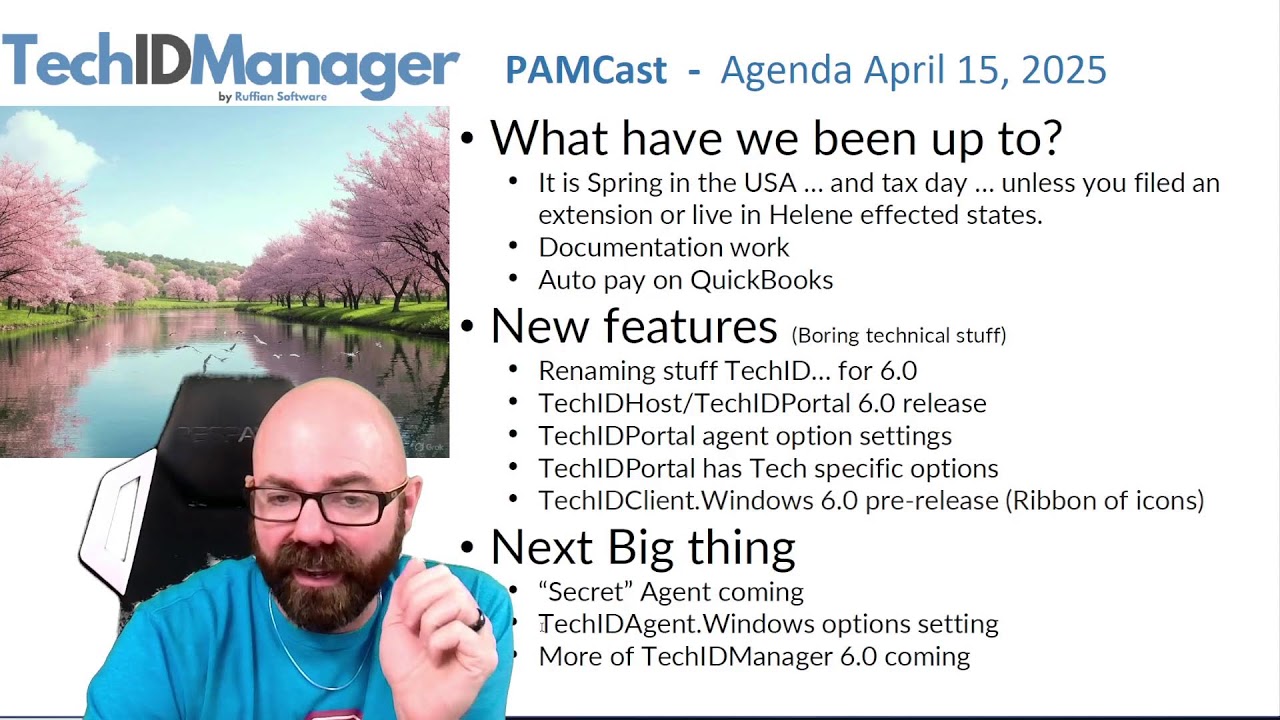
April 15th PAMCast
We discussed:
- Renaming parts of TechIDManager for 6.0
- TechIDHost/TechIDPortal 6.0 release
- TechIDPortal agent option settings
- TechIDPortal has Tech specific options
- TechIDClient.Windows 6.0 pre-release (Ribbon of icons)
March 18th PAMCast
We discussed:
- CloudFlare – Password reuse article
- Auto pay on QuickBooks
- EntraID update to single subscription (base/link)
- Force Password Rotation
- One-Time-Share passwords
- Wordlists for passwords
- Central Host & Management Console changes

February 18th PAMCast
We discussed:
- Mobile app Android and iPhone (update to .net 8.0, done and in internal testing)
- Update Agents Service (done and in internal testing)
- DomainService updates

January 21st PAMCast
We discussed:
- New REST Api example (Tech Status change)
- macOS TechClient Update (in TestFlight right now)
- Azure subscription update to single/cloud (pre-release right now)
- Azure GCC/GCC-High support

December 17th PAMCast
We discussed:
- New mobile app coming soon (Android and iPhone)
- Update Agents Service (so close…)
- macOS TechClient update
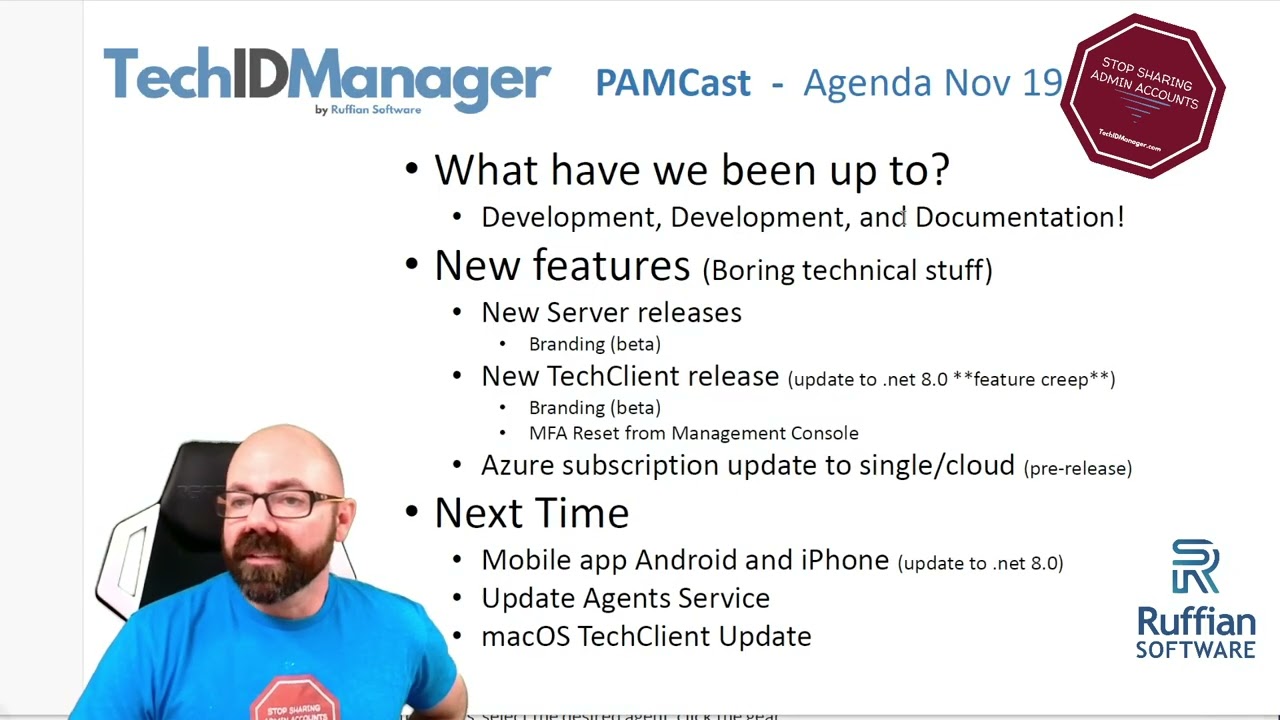
November 19th PAMCast
We discussed:
- New Documentation
- New server releases
- Branding
- Azure subscription update to manage your Azure usage under one subscription to consolidate billing.
- MFA resets for techs
October 15th PAMCast
We discussed:
- New mobile app coming soon (Android and iPhone)
- Update Agents Service (so close…)
- Azure subscription update to single/cloud
September 19th PAMCast
We discussed:
- New mobile app coming soon (Android and iPhone)
- Update Agents Service (so close…)
- Switching Credit Card processor
- Windows Credential provider (Other User Tile)
- TechClient 5.210
- EntraID 5.216
August 20th PAMCast
We discussed:
- DomainService 5.191
- URL in documentation tools
- EntraID Agent 5.201 (pre-release)
- Name change AzureAD -> EntraID
- .net 8.0
- Isolated worker model
July 16th PAMCast
We discussed:
- Ruffian Software’s new security journey to SOC II compliance
- The new Trust Center tab on our website
- Ways to do PAM with TechIDManager
- Allow/Deny Log On
- Deployment Examples New
- Features
- API examples in C# using REST API
- Hotfix for DomainService 5.117->5.144
- URL in documentation tools (pre-release soon)
June 18th PAMCast
We discussed:
- General release of Vault Passwords
- Feature releases completed in the last 2 months
- Upcoming features that are just around the corner
PAMCast is May 21st
We will be live from MSPGeekCon talking about:
- Our Giveaway at MSPGeekCon
- New features for Vault Passwords
- Leaves, even though it’s not fall?
- Background infrastructure changes
TECHNICAL Difficulties prevented this from happening. We will cover all the relevant information in the next PAMCast.
April 16th PAMCast
We discussed:
- Vault Passwords
- TOTP for managed accounts
- Management Console UI changes
- Price changes (for new customers)
- MSP GeekCon
- Zomentum deal for partners
March 19th PAMCast
We discussed:
- Price change, and who it effects
- 4.0 –> 5.0 transition for TechIDManager
- Curtian vs. Cryptography
- Preview of the TechIDManager Vault
February 20th PAMCast
We discussed:
- Group membership from details screen
- TOTP in Mobile Client
- Timezone changes for Management Console
- AzureAD (EntraID updates)
- Microsoft SSO for Management Console
- Duplicate Username Improvements

January 16th PAMCast
We discussed:
- Treeification of credentials
- Shared password vault
- CMMC
December 19th PAMCast
We discussed:
- Defined PAM Account Options
- Year (or more) in Review
- Next Year Preview
November 21st PAMCast
We discussed:
- multiple instances of an agent on a machine to do multiple things.
- New features added in the last month.
October 17th PAMCast
We discussed:
- Martin’s background
- PAM- Have it your way!
- Managed vs JIT
- Product updates