TechIDManager further simplifies technicians’ access to client accounts by allowing them to insert properly formatted URLs into any documentation tool. These URLs, called TechIDClientLinks, are clickable to directly open the desired credential in the technician’s TechIDManager TechIDClient, streamlining the process of finding the correct credential at the correct time for technicians.
Clicking the TechIDClientLink will open the TechIDClient on the technician’s computer, displaying the specific credential you were seeking.
This function is supported for any password stored in TechIDManager. There are several ways to access the link that you need.
-
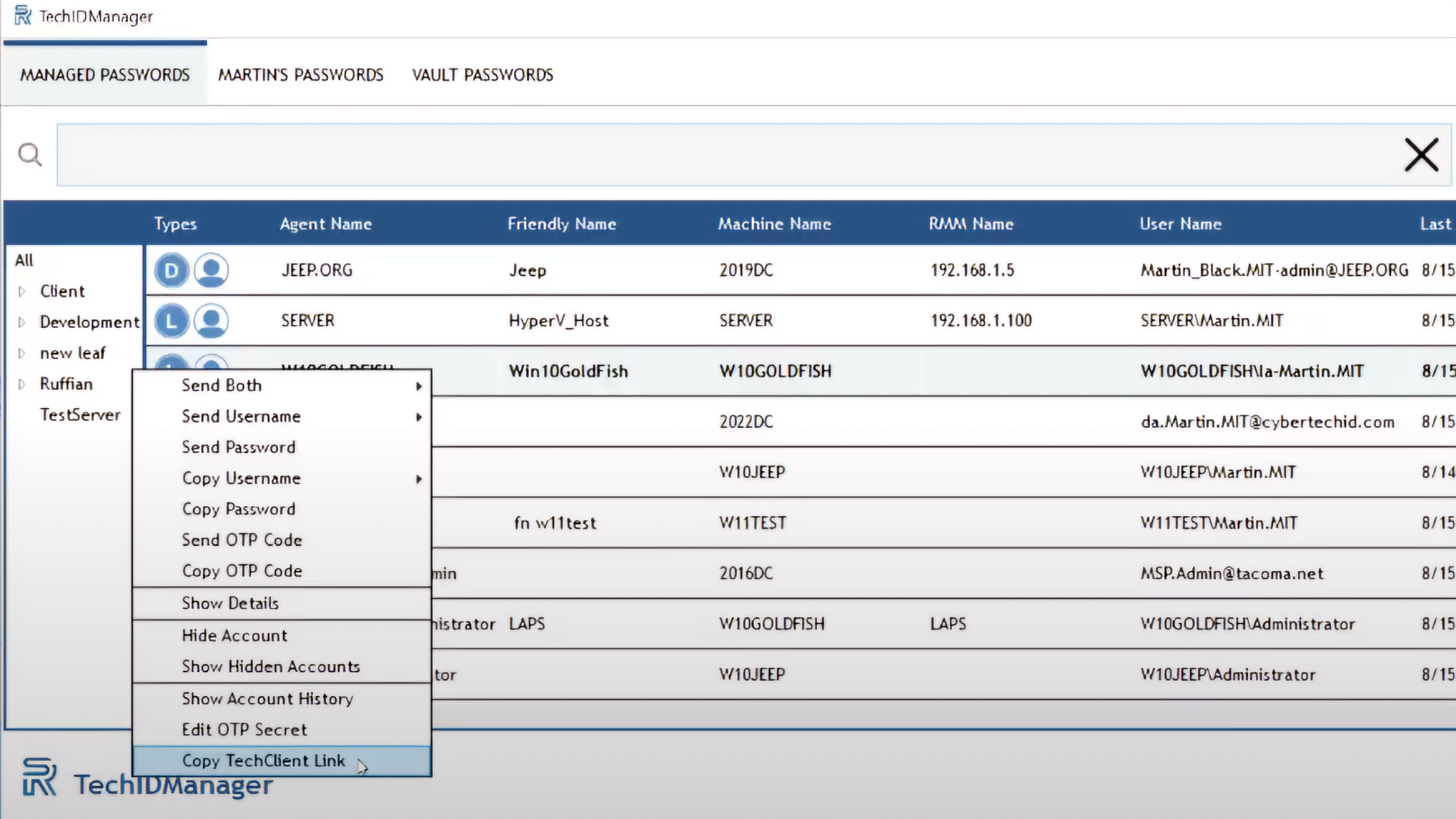
In the TechIDClient, right-click on the desired credential, then select “Copy TechIDClient Link.”
-
In the TechIDPortal, go to Agents, select the desired agent, click the gear icon, and copy the listed TechIDClient Link.
This copied link can be used within any documentation tool or application that supports clickable links, such as ITGlue or Hudu.
TechIDClient
TechIDPortal

Using TechIDClient Links in Scripts and Automation
TechIDClient Links aren’t limited to documentation tools. The same links can also be used with TechIDClient.Get.exe to securely retrieve credentials for PowerShell scripts, AI tools, and other automation workflows—without storing passwords directly in your scripts.
Learn how to use TechIDManager credentials securely in scripts and automation → https://techidmanager.com/techidmanager-guide-secure-use-in-scripts-ai-and-automation-workflows/